Vercel Website Deployment and Domain Configuration Guide
Simply put, use Vercel to deploy your website for free and bind your own domain
When building this blog, I researched deployment options. Vercel is a great choice. It supports automatic deployment - every time you push code, it automatically updates. Plus, you can bind your own domain for free. The configuration is simple and takes just a few minutes.
What is Vercel
Vercel is a platform specifically designed for deploying frontend projects, especially suitable for static sites or server-side rendered projects like React, Vue, Next.js, and Astro. Its features include:
- Large free tier, more than enough for personal projects
- Automatic CI/CD, deploys automatically when you push code
- Global CDN acceleration for fast access
- Support for custom domains
Deploying a Website
Step 1: Login to Vercel
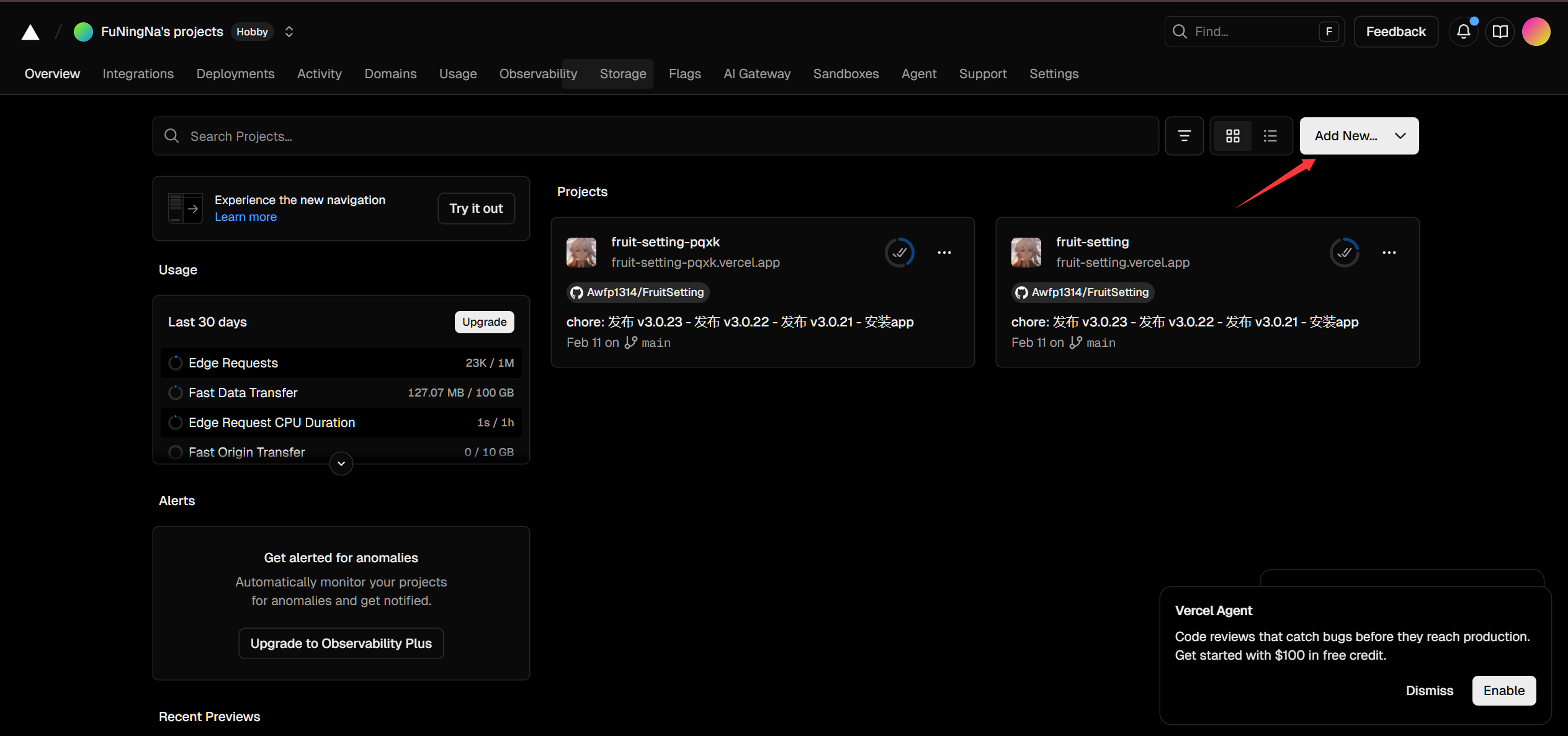
Open the Vercel website and login with your GitHub account. After logging in, click “Add New” in the top right corner:
Step 2: Import Project
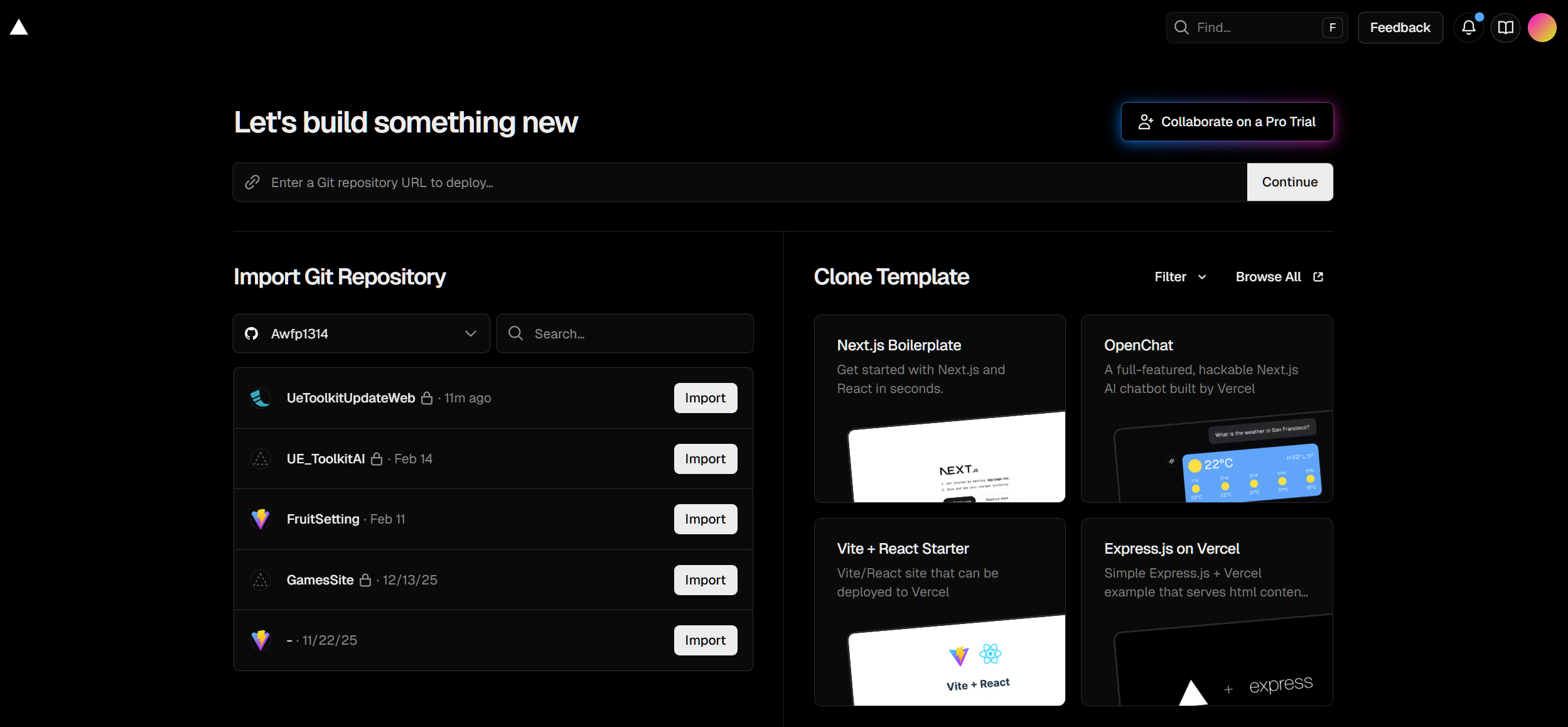
Find the GitHub repository you want to deploy and click “Import”:
Step 3: Configure and Deploy
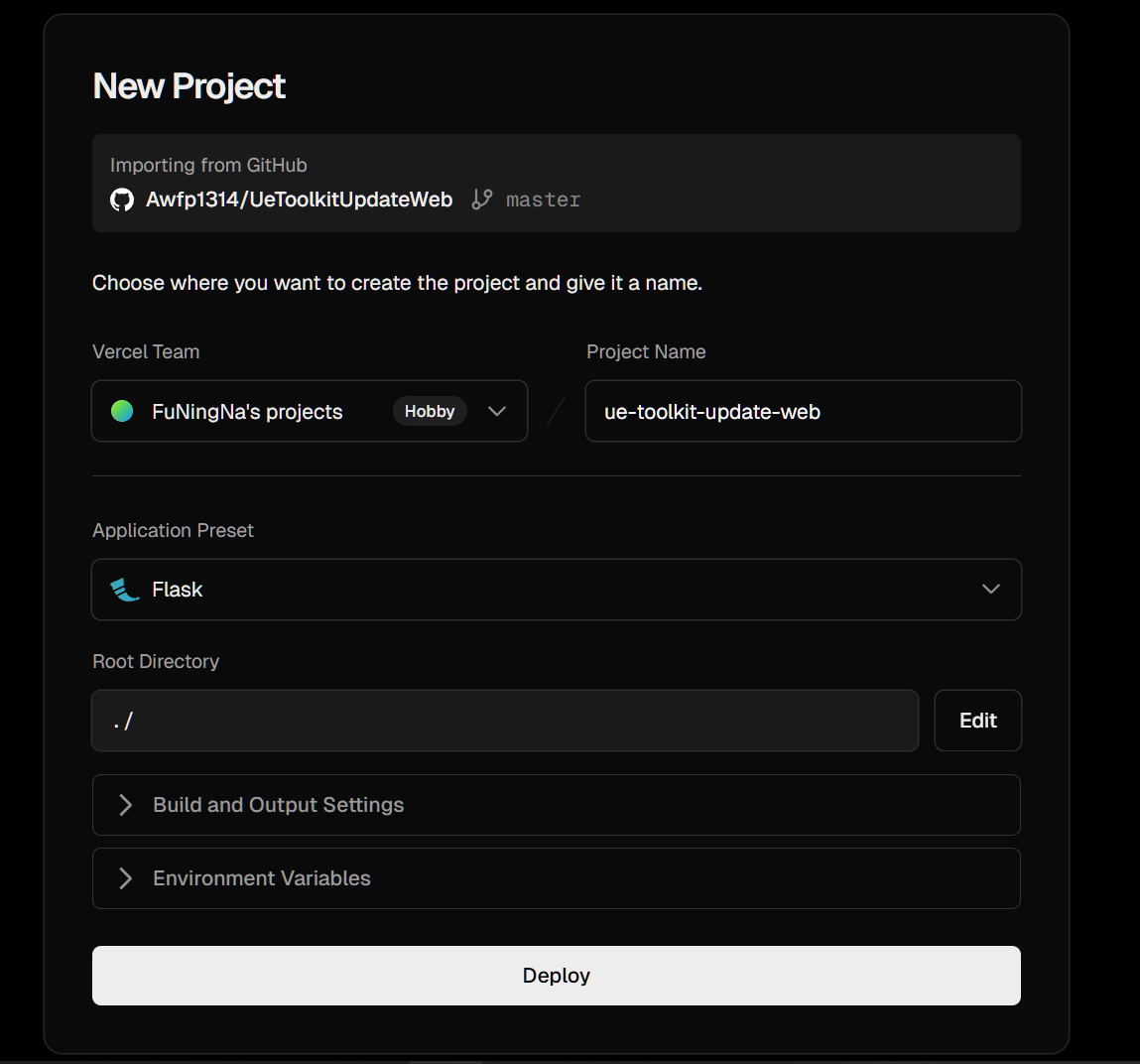
Fill in the project configuration. Usually, Vercel automatically recognizes the project type (like Astro, Next.js) and fills in the build command and output directory. If you need environment variables, you can add them here.
After configuration, click “Deploy”:
Wait a few minutes. After deployment is complete, Vercel will give you a .vercel.app domain that you can access directly.
Binding a Custom Domain
If you have your own domain, you can bind it to your Vercel project.
Step 1: Add Domain
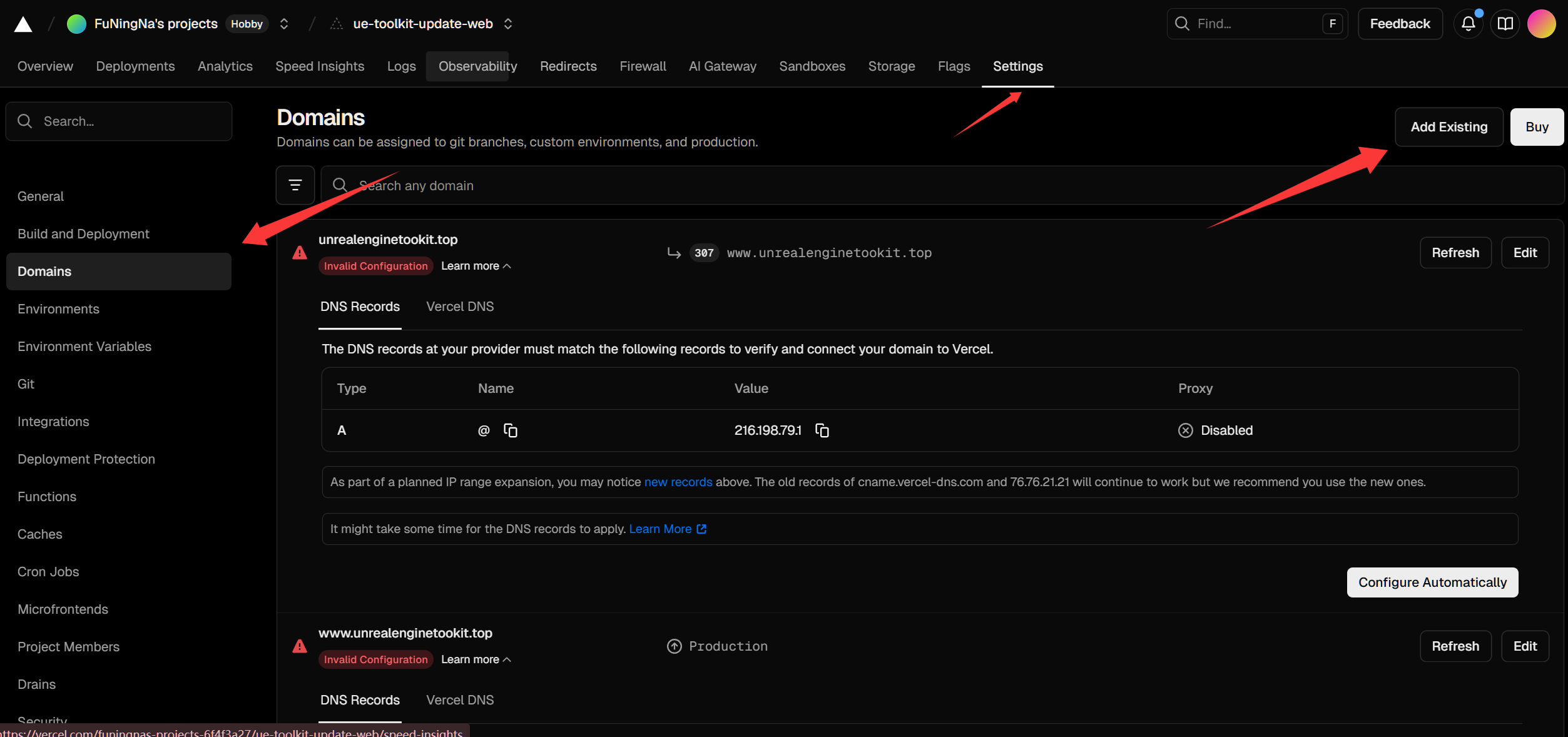
Open project settings, select “Domains”, and add your existing domain:
Step 2: Configure DNS
Vercel will give you some DNS records that you need to add at your domain registrar. Usually, you’ll add an A record or CNAME record.
After configuring DNS, wait a few minutes for it to take effect, and you can access your site with your own domain.
Why Choose Vercel
I’m planning to deploy this blog with Vercel, mainly for these reasons:
- Fast deployment, usually 1-2 minutes
- Automatic deployment is convenient, no manual operation needed each time
- Global CDN should provide good access speed
- Free tier is more than enough for personal projects
Although I’ve heard that access from China can be unstable sometimes, overall it’s a great free deployment solution.
Summary
Simply put, Vercel is a platform that lets you deploy your website online in just a few minutes. If you have a frontend project that needs deployment, Vercel is a great choice.
References:
- Vercel Official Documentation - Vercel usage guide
- Vercel Domain Configuration - Domain binding tutorial