How I Turned UE Toolkit from a Local Tool into a Product with Real Users and Paid Validation
A product retrospective on UE Toolkit: from a local desktop utility to a small product with a website, updates, licensing, payments, an admin backend, and user feedback.
When I first started building UE Toolkit, I did not think of it as a “product”.
The original idea was very simple. When I was using Unreal Engine, I kept running into small but annoying problems: projects scattered across different drives, downloaded asset packs with messy folder structures, project settings I wanted to reuse across different projects, and a lot of manual path-finding, copying, and organizing.
None of these things is difficult by itself. But when you repeat them every day, they become tiring.
So I wanted to build a tool that pulled these scattered operations into one place. To put it plainly, I wanted to build a toolbox for UE developers.
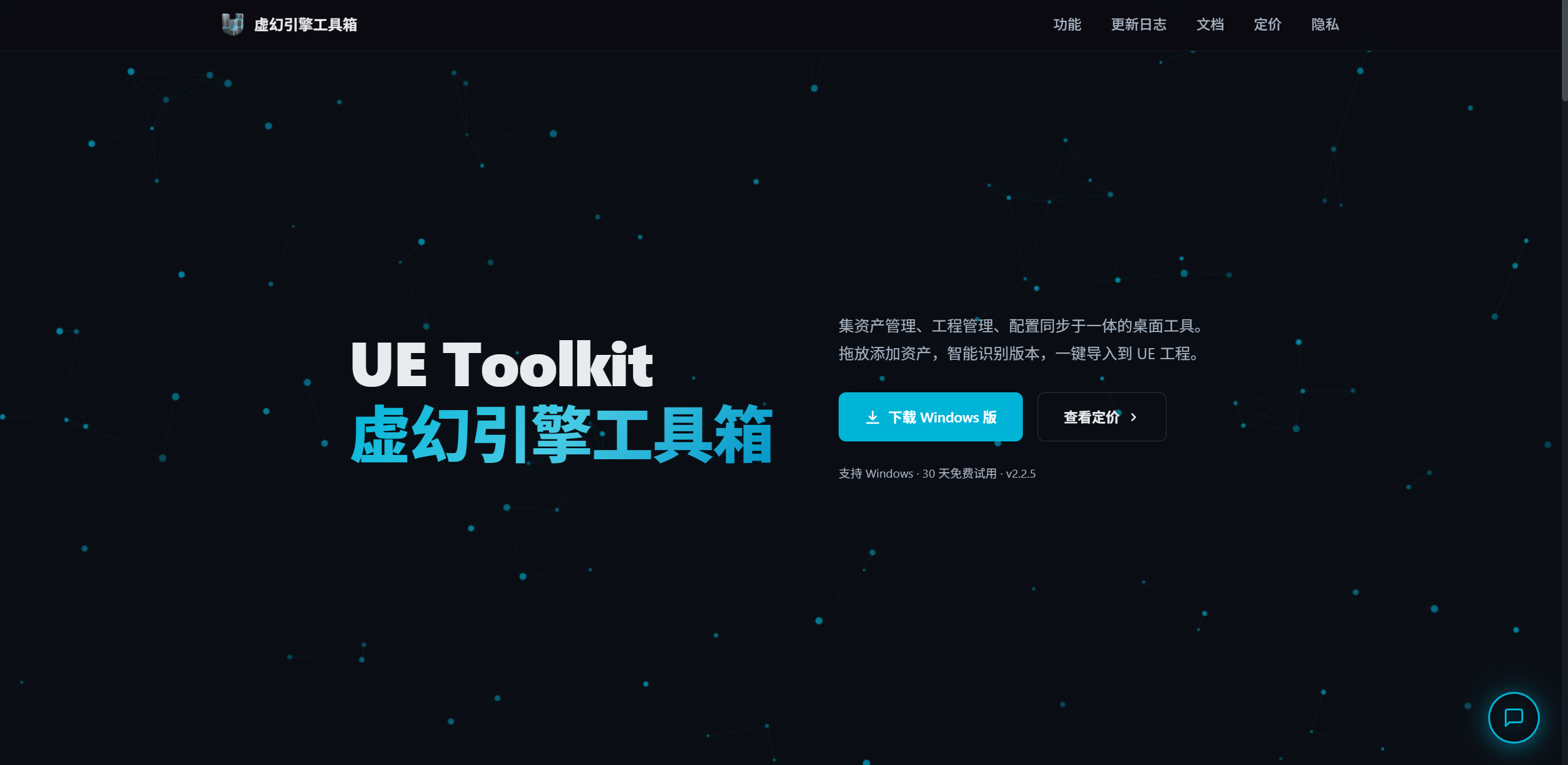
Later, this tool slowly grew from a local desktop app into a product with a website, a download page, automatic updates, licensing, payments, an admin backend, and real user feedback. This article is not about how one specific feature was implemented. It is about how I pushed UE Toolkit from “a tool that runs” toward “a product that people are willing to use and even pay for”.
The Original Problem
UE developers deal with a lot of repeated work.
For example, project management.
A developer may have UE4, UE5.3, UE5.4, and UE5.6 projects on the same machine. Some are learning projects, some are test projects, and some are asset preview projects. After a while, even remembering where each project is stored becomes annoying.
Then there is asset management.
Some assets are Content folders, some are plugins, some are full projects, and some are just models or textures. After downloading them, the folder structure is often inconsistent. Before importing them into a real project, you usually need to unzip, inspect, adjust, and copy things manually.
There is also configuration reuse.
Some project settings and editor preferences can be reused, but manually finding config files, copying them, and making backups is easy to get wrong.
These problems are not “advanced”, but they are real. For me, the first value of UE Toolkit was to turn these repeated actions into buttons, lists, and flows.
The First Version Was Just a Local Tool
At the beginning, I mainly focused on the desktop client.
The client is built with Python and PyQt6. Its core modules are:
- My Projects: scan and manage local UE projects.
- Asset Library: add, identify, preview, and import assets.
- Config Tool: save project configuration and apply it to other projects.
- AI Assistant: help analyze assets or blueprint-related problems.
At this stage, the most important question was not whether the architecture looked elegant. The question was whether it solved a real problem.
For example, in the asset library, I wanted users to drag in a compressed file or folder and let the tool automatically identify whether it was an asset pack, a plugin, a full project, or something else. That way, users would not need to manually reorganize the folder structure every time.
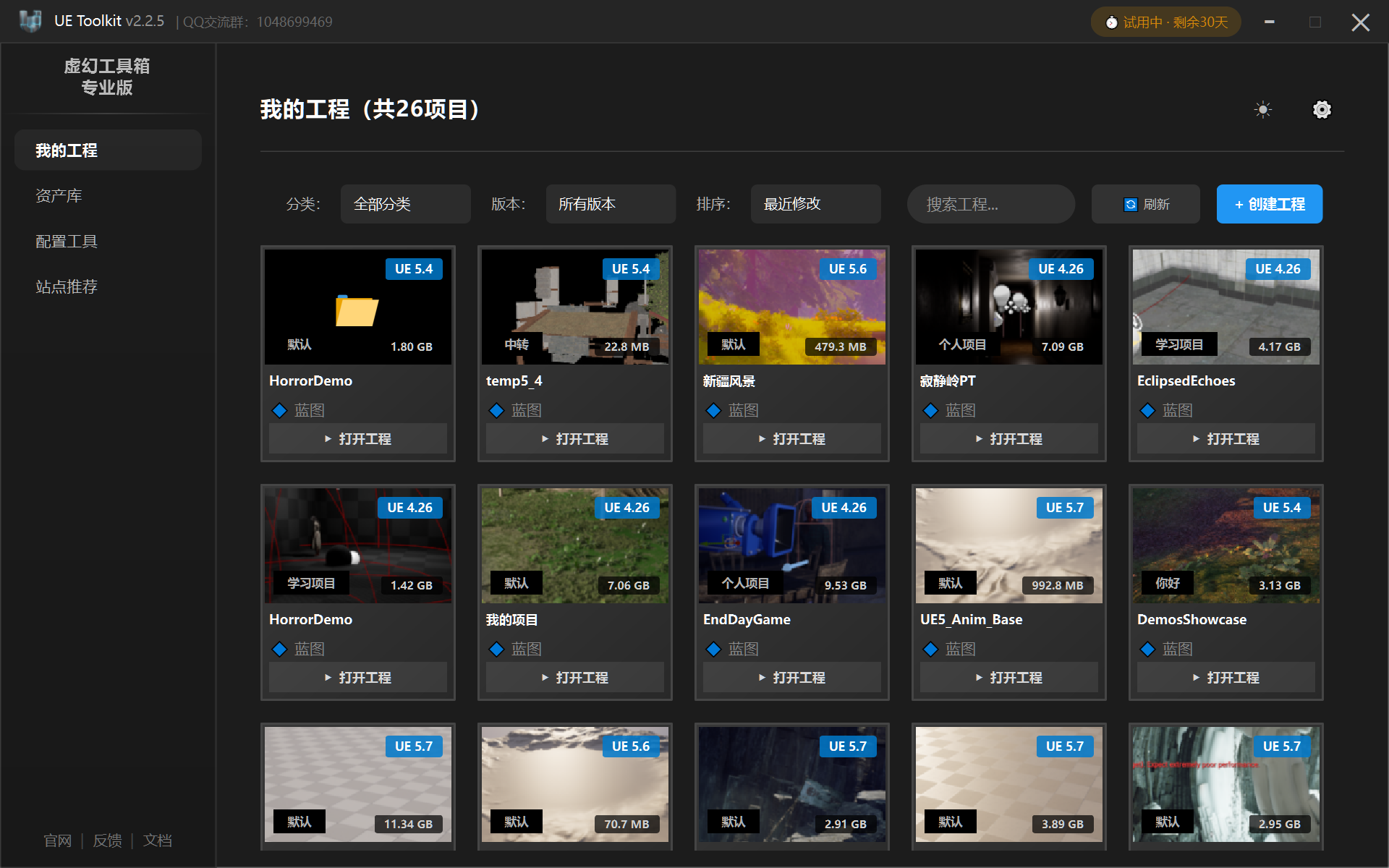
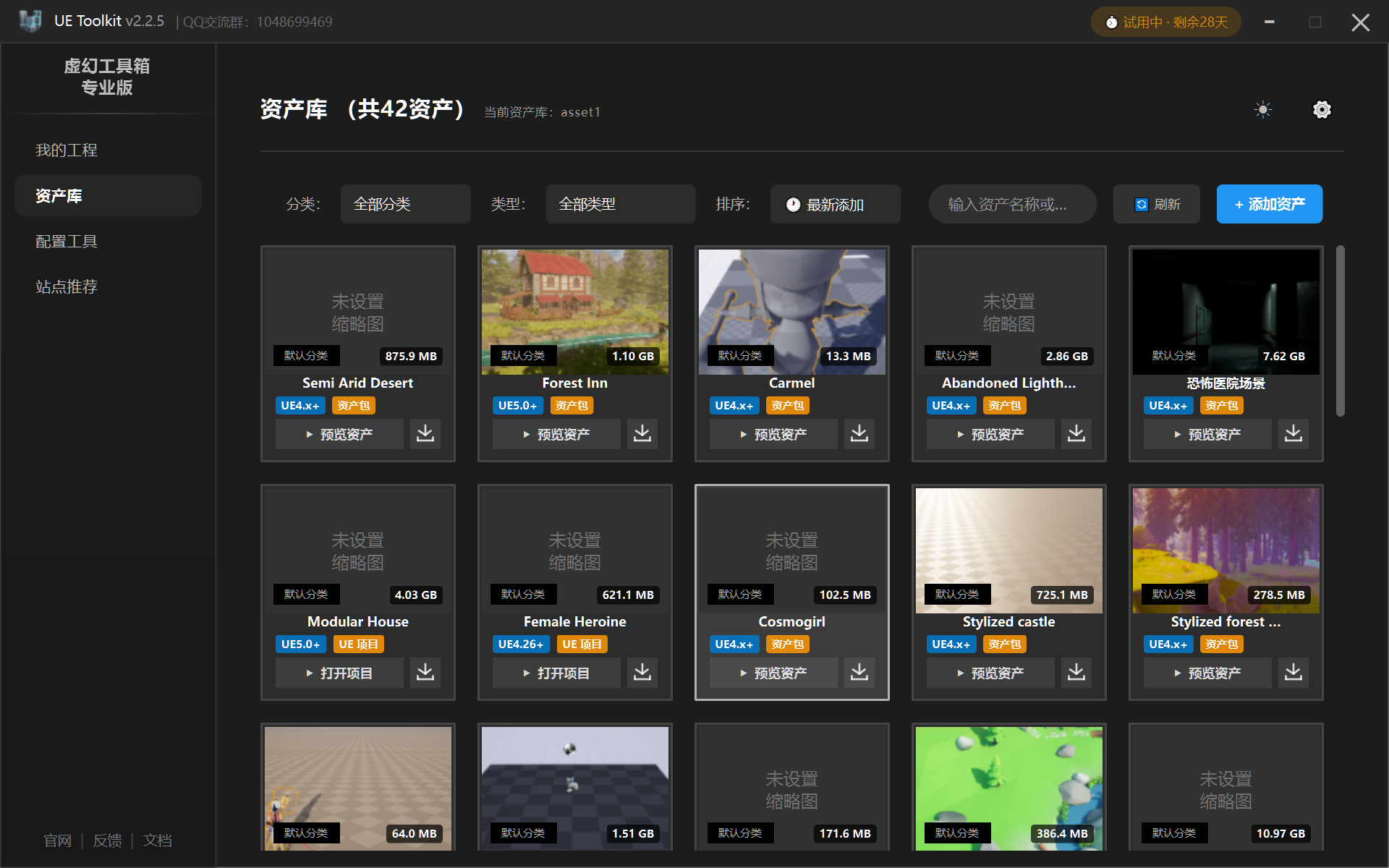
At this point, it was already a tool I could use myself.
But that was also where the next problem appeared: building something for yourself and building something for other people are two very different things.
Once Other People Used It, the Problem Changed
If a tool is only for yourself, many things can stay loose.
Hardcoded paths are acceptable. Manual updates are acceptable. If something breaks, you know how to fix it. If the configuration gets messy, you can slowly look through it yourself.
But once other people start using it, the questions change completely:
- Where do users download it?
- How do they know whether they are on the latest version?
- How are new versions delivered?
- How do trial and paid versions differ?
- How does a user activate the software after paying?
- How do users report problems?
- How do I know how many people are using it?
That was when I realized that a product is not just a collection of features.
To put it plainly, features are only one part of a product. A tool that other people can actually use also needs release, updates, licensing, feedback, statistics, and documentation.
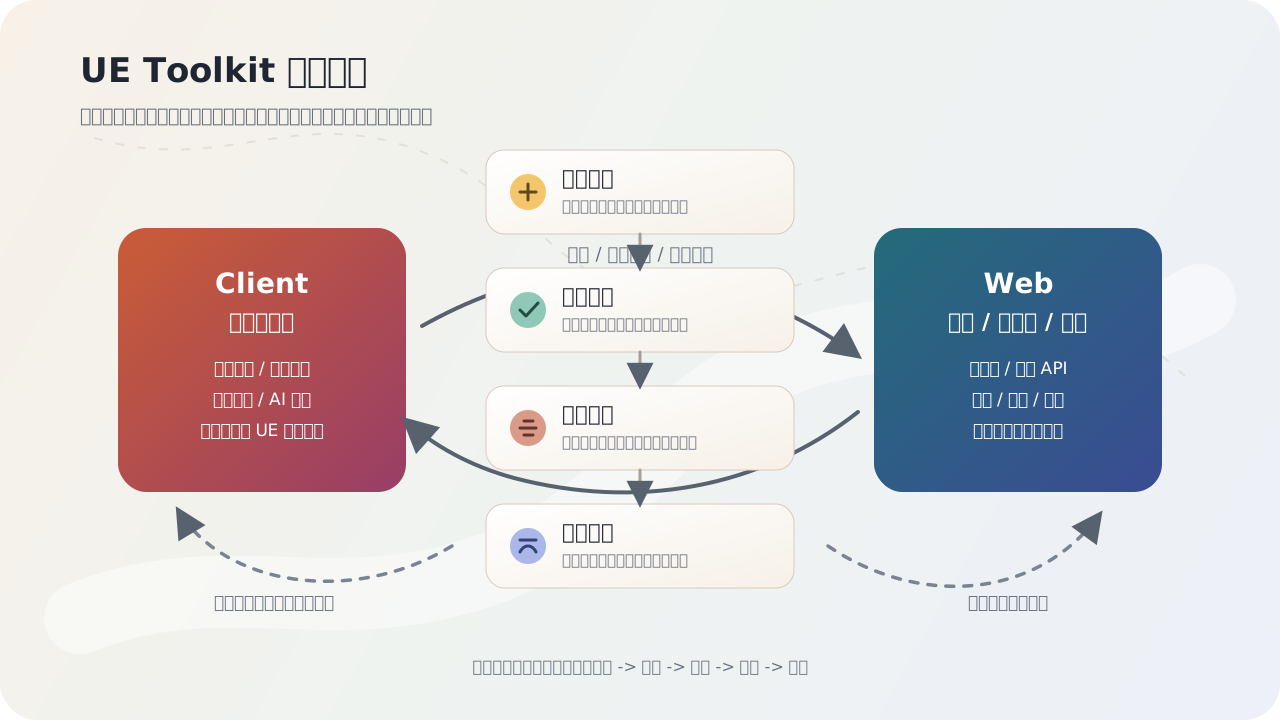
So UE Toolkit stopped being only a PyQt6 client and became a Client + Web system.
Desktop client-> Website / download page-> Version updates-> License activation-> Payment-> Admin statistics-> User feedback-> Continued iterationThat was the loop I really wanted to build.
What Client and Web Do
I now think of the project in two parts.
The client solves problems on the user’s computer.
It scans projects, manages assets, imports resources, saves configurations, calls the AI assistant, and checks for updates. These features all happen in the user’s local environment and interact directly with UE projects, the file system, and asset folders.
The Web service solves the problem of how the software is published and operated.
It handles the website, download links, version information, license verification, payment callbacks, activation codes, user launch statistics, feedback management, and admin operations. Without this layer, UE Toolkit is only a local program. With it, the tool starts to look like a product that can be operated over time.
I previously wrote a UE Toolkit user guide. That article is more like a manual: it tells users how to use the tool.
This article is about something else: what a tool needs in order to move from “usable” to “releasable, updatable, chargeable, and iterative”. Many of those pieces are not flashy, but they are important.
Real Users and Paid Validation
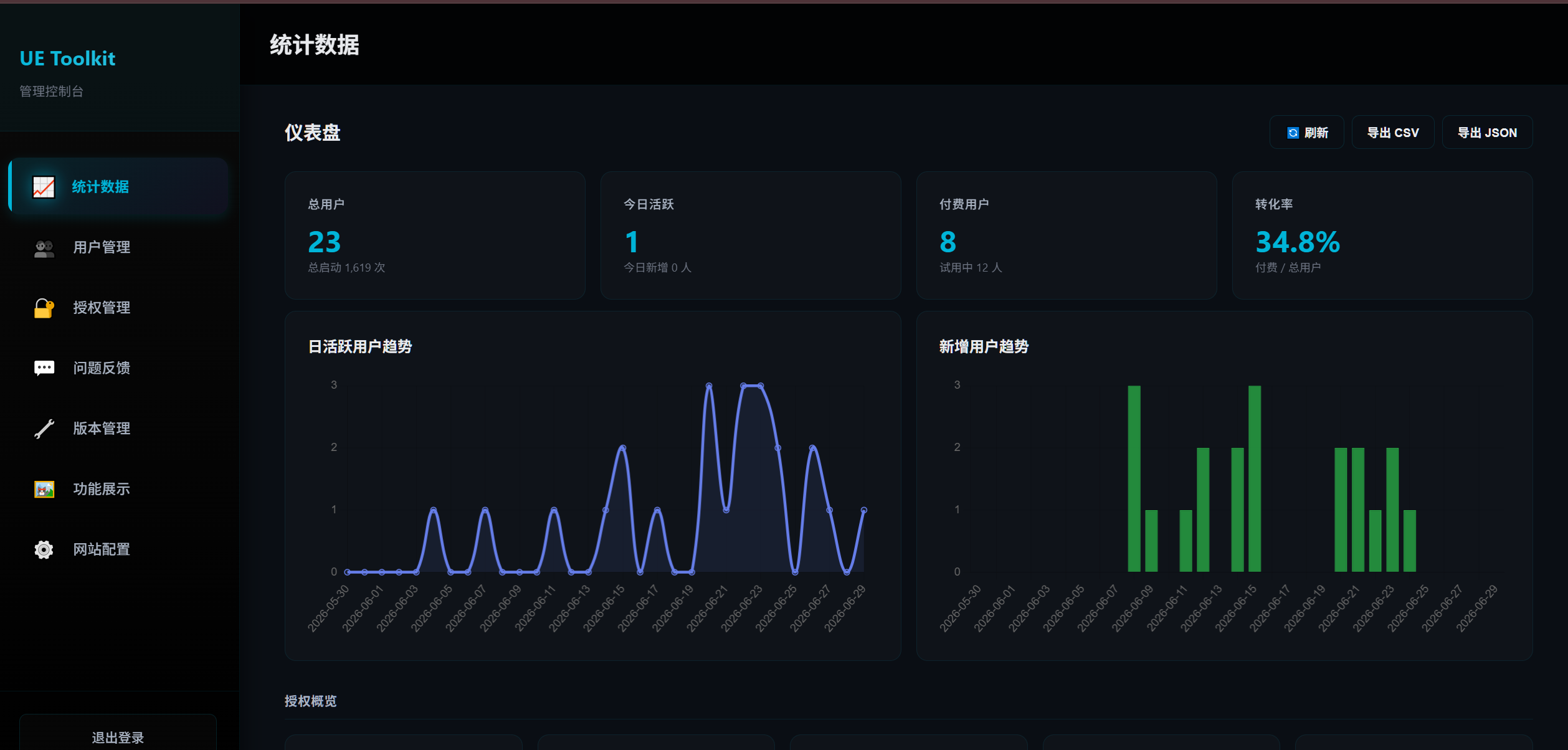
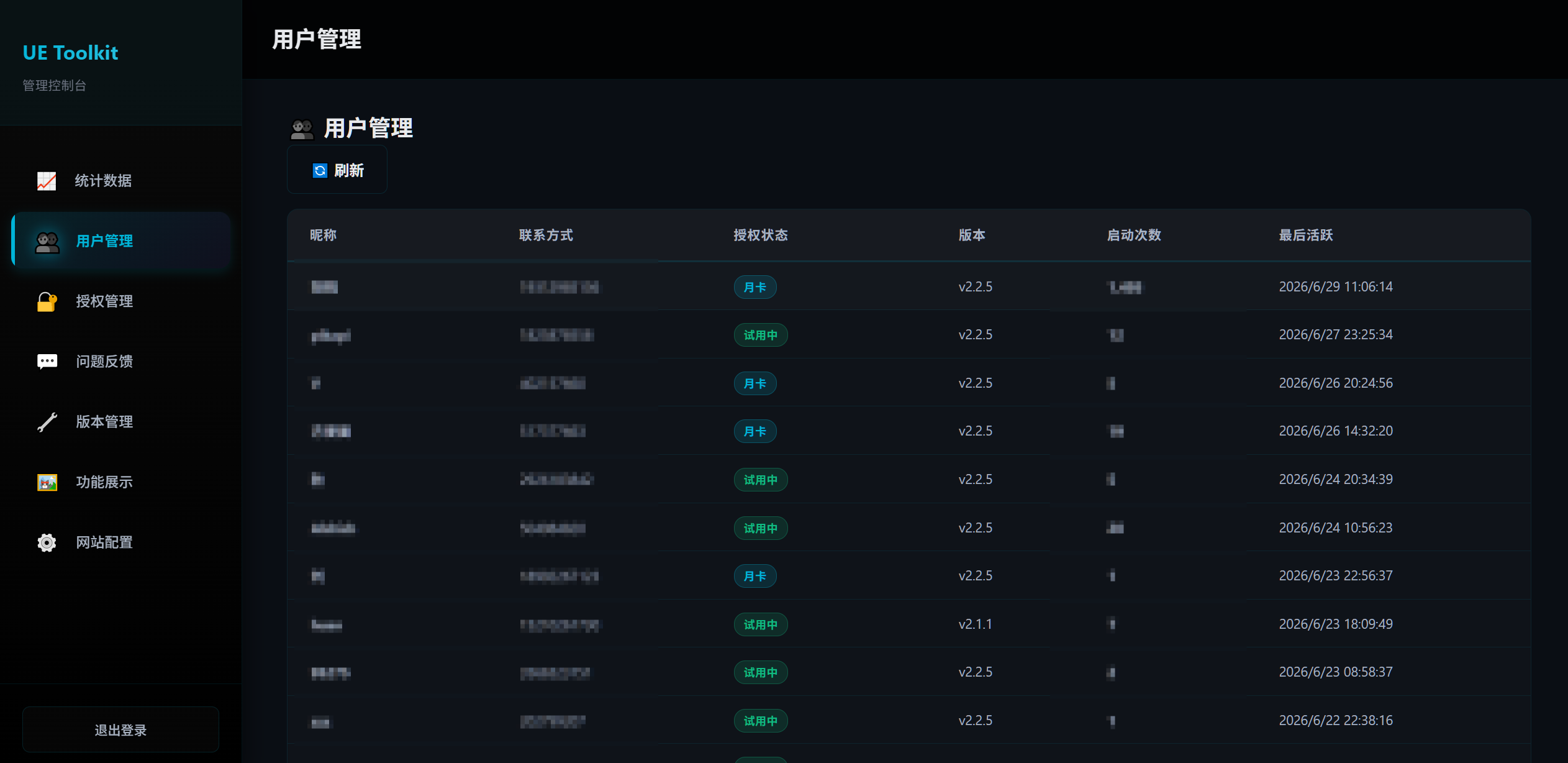
The aggregate data I can confirm right now is:
- Current users: 23
- Paid users: 8
- Total revenue: about 299 RMB
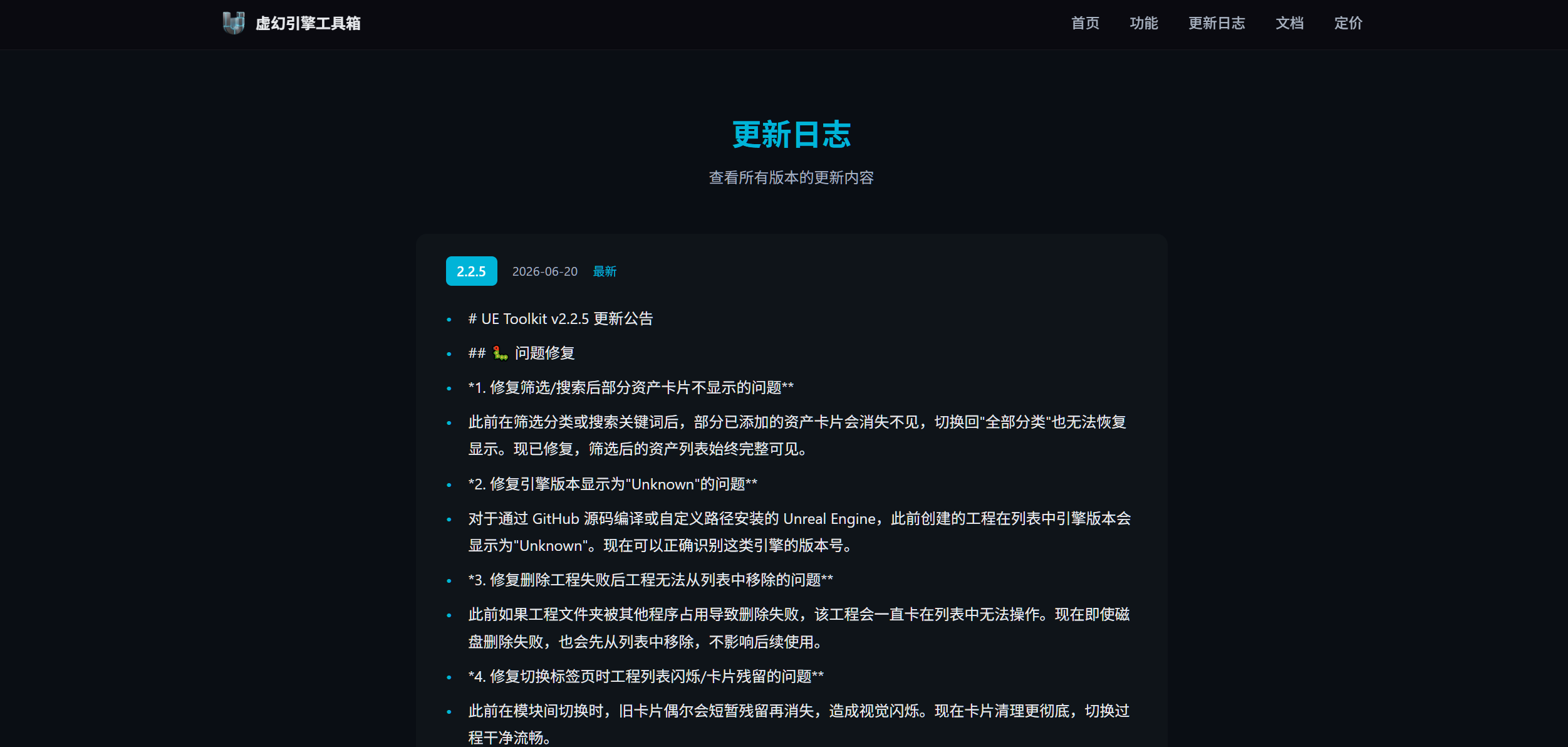
- Current online version: v2.2.5
The numbers are small, but they matter a lot to me.
They show that this is not just a practice project sitting on GitHub with no one using it. It has at least gone through a small validation cycle: some people really had a similar problem, some were willing to download it, some were willing to try it, and some were willing to pay for it.
I would not package this as a mature commercial product. It is still far from being stable, professional, and scalable software.
But for me, it proves one thing: I am not only building demos. I can push a real problem to the stage where there are users, feedback, and paid validation.
How User Feedback Drove Iteration
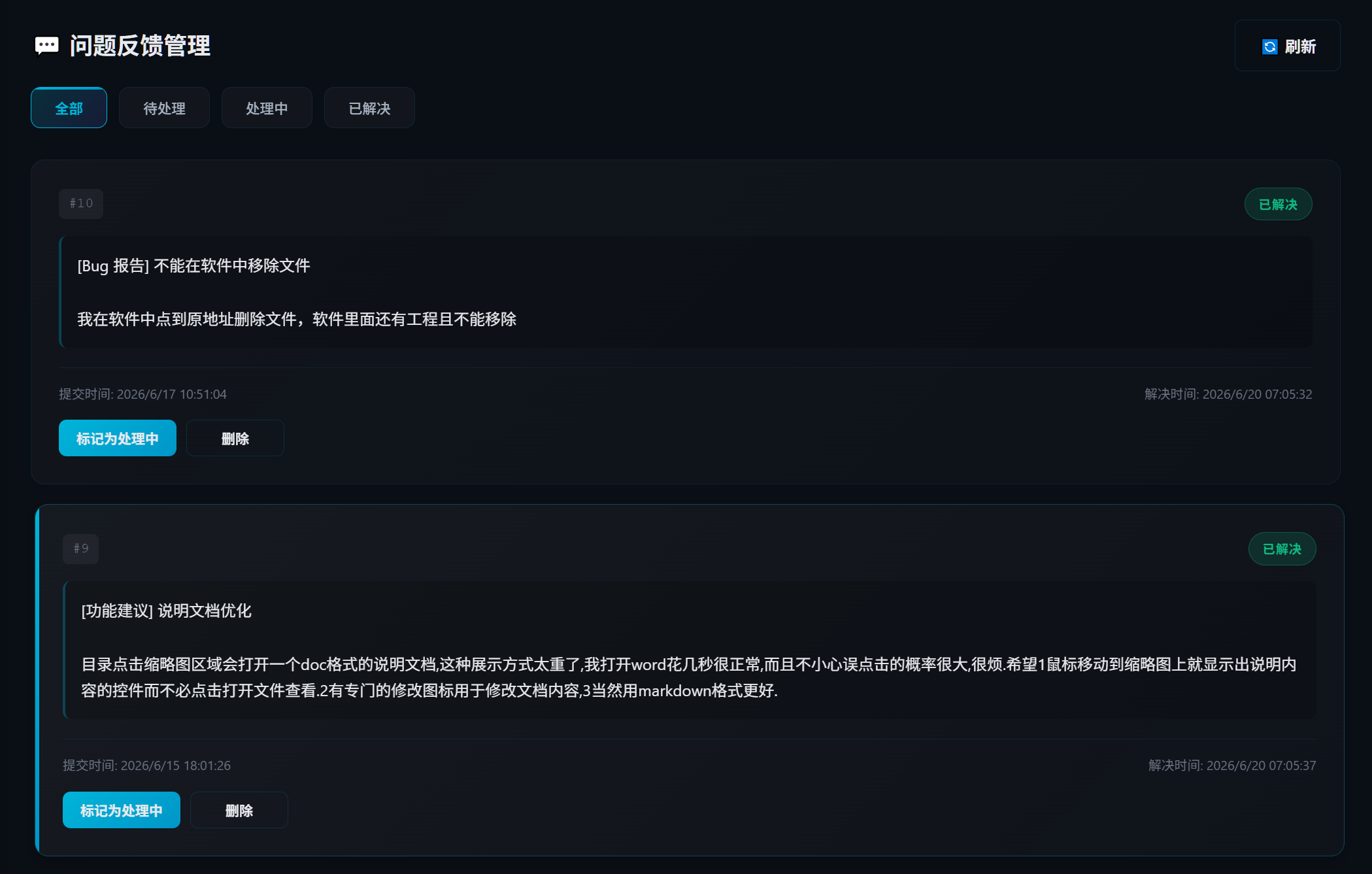
Many later updates to UE Toolkit did not come from me imagining features in a room. They came from people actually using the tool, pointing out problems, and then me changing it.
For example, some users felt that creating and opening asset documents was not convenient enough. So I moved document-related actions to a more direct place. Later, I also added hover previews so users did not need to open the document every time.
There was also an asset card refresh issue. When there were many assets, newly added assets would sometimes not show up immediately. This kind of problem may not appear during my own testing, but real users run into it quickly.
In v2.2.5, I also worked on applying and rolling back configurations. The main worry when applying configuration is: what if I overwrite the wrong thing? So I added backup and rollback logic. The tool should not only be able to “apply” a config; it should also let users go back when something goes wrong.
To put it plainly, user feedback pushes a feature from “it runs” toward “it is reliable”.
What AI Did in This Project
This project used a lot of AI-assisted development.
I do not want to hide that. In fact, I think it is one of the most important parts of the story.
AI helped me with many implementation details, including PyQt6 UI, QSS styling, Flask APIs, licensing logic, admin pages, documentation, debugging, and local refactoring.
But AI did not automatically turn the idea into a product.
My work was more about:
- Judging whether a feature had a real use case.
- Breaking vague requirements into tasks AI could execute.
- Checking whether AI-generated code matched the product goal.
- Running, testing, screenshotting, and observing the user experience.
- After user feedback came in, breaking down the problem again, changing the implementation, and verifying it.
In other words, AI was more like a very fast implementation partner, not the product owner.
If the requirement itself is messy, AI only turns that mess into code faster. The important part is whether I can decide what to build, what not to build, what counts as done, and what is still unreliable.
That is also how I understand AI-assisted development now: AI can amplify execution, but it cannot take over product judgment.
Problems I Ran Into
The first problem was the wide technical span.
UE Toolkit is not a single-stack project. The client involves PyQt6, QSS, the file system, packaging, and update checks. The Web side involves Flask, databases, licensing, payments, admin pages, and deployment. Put together, these topics can easily lead to deep technical questions in an interview.
So I should not describe myself as someone who is “proficient in full-stack development”. A more honest description is: I used AI collaboration to build a product loop across a desktop client and a Web service. I can explain the business flow and main modules, while many underlying details are still things I am improving.
The second problem was the security boundary.
Licensing, payments, admin pages, and databases are not things whose details can be casually exposed. For example, .env, payment secrets, database connection strings, activation codes, and user data should never appear in a blog post or screenshot.
My current approach is more careful: public articles only discuss process and tradeoffs. They do not show sensitive configuration or real user privacy.
The third problem was the gap between “it runs” and “it is usable”.
Shipping a feature is only the first step. Once other people use it, you run into edge cases: unusual paths, non-standard asset structures, deleted projects, config rollback, update failures, UI freezes, and users not knowing what to do.
These problems are not always exciting, but they are exactly what a tool has to face when it moves from a demo toward a product.
What This Means for My Job Search
If you only look at the technical keywords, UE Toolkit may seem messy.
It has a desktop client, a Web service, licensing, payments, an admin backend, AI, UE tooling, and some automation flows.
But I do not think it proves that I have already mastered all of those technologies. It proves something else:
I can find a real problem, break it into buildable modules, use AI-assisted development to move it forward, and continue iterating through user feedback and paid validation.
That is much closer to real work than simply building a practice project.
In real work, the point is often not to show how deep one isolated technology goes. The point is to turn a vague requirement into a usable feature, then keep fixing problems, writing documentation, listening to feedback, and making tradeoffs.
UE Toolkit is that kind of project for me.
Current Boundaries
I will not package UE Toolkit as a very mature piece of software.
It still has many areas that need improvement:
- The security boundary of the licensing system needs to be strengthened.
- Payment callbacks, log masking, and admin permissions need to be handled more carefully.
- The test system is not complete enough.
- I am still improving my understanding of some PyQt6 internals.
- The asset management module has a complex history and still needs cleanup.
- The documentation and website can be more professional.
But these limitations do not erase its value.
Instead, they make something clearer to me: a product does not end when the code is written. It has to keep facing real users, real feedback, and real boundaries.
Summary
UE Toolkit started as a local tool I built to save myself some trouble.
Later, it slowly became a small product with a client, a website, updates, licensing, payments, an admin backend, and user feedback.
The biggest thing I learned from this process is that productization is not one single feature. It is a complete loop.
To put it plainly, writing a tool is not the hardest part. The harder part is making other people download it, understand it, use it, give feedback on it, update it, and even pay for it.
UE Toolkit is still small, and it is still imperfect. But it has already crossed the line from “only I use it” to “other people are using it”. For me, that is the most important meaning of the project.